
I am a designer who can wearmany different hats

One Man, Six Hats.

James Meinerth

My name isJames Meinerth

and I can make you anything you want

My name isJames Meinerth

and I can make you anything you want

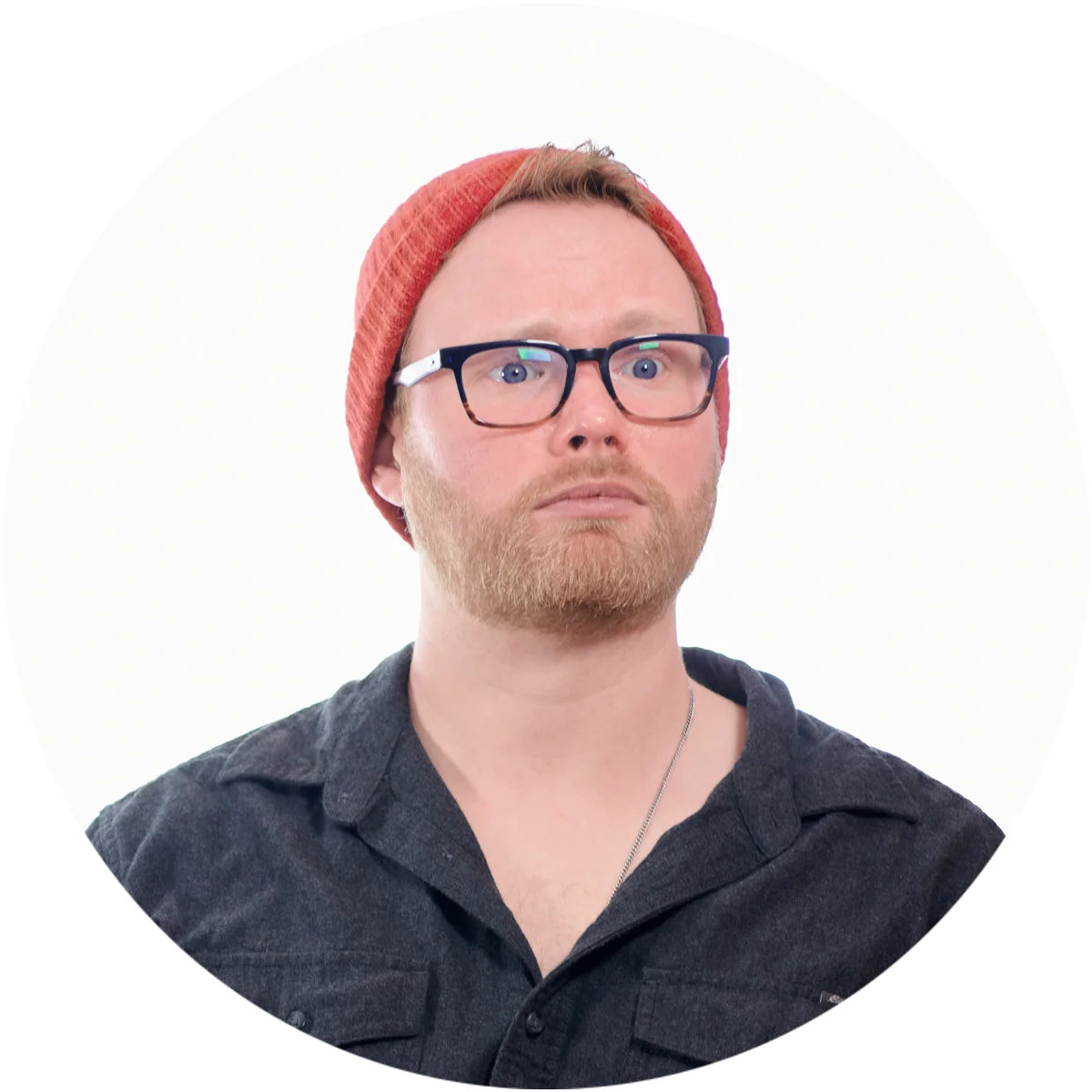
James Meinerth headshot

When You Need

To Make

A PITCH
A PITCH
A PITCH

Presentations

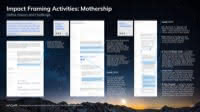
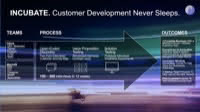
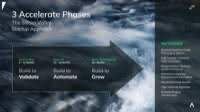
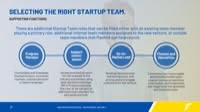
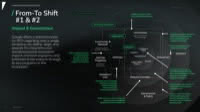
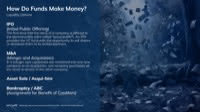
For four years at Mach49, I designed the decks Fortune 500 teams used to pitch new ventures. Millions of dollars moved or didn't based on how well thirty slides told the story.

The Work
The Work
The Work

Pitch deck design, investor presentations, master slide systems, presentation templates for distributed teams, executive briefings, conference talks.

What This Means For You

If you have a pitch coming and money on the line, I can build you a deck that holds a room. I can also build the template system behind it, so your team can keep making good ones without me.

Mr. Worldwide

I have created successful decks and templates for clients all over the world. No matter what time zone you're in, I'll bring your vision to life and help you tell your story to accomplish your goal as fast as possible. Most of the presentations I have designed are under heavy NDA. If you would like to see more in-depth samples, please contact me below.

James Meinerth headshot

When You Need

When You Need

A Signature

A Signature

IDENTITY
IDENTITY
IDENTITY

Branding

Branding

At Mach49, I led the company-wide rebrand: new standards, a full asset library migration, hundreds of templates rebuilt on deadline. Client work never slowed down while it happened, so nothing was allowed to break.

The Work
The Work
The Work

Complete brand systems, logo design, typography and color systems, brand guidelines, template libraries.

What This Means For You

I can design your logo and build it into a full identity system: color, type, guidelines, and templates that hold up everywhere your brand shows up.

I can design your logo and build it into a full identity system: color, type, guidelines, and templates that hold up everywhere your brand shows up.

Logo Examples

Logo and Identity Exploration

Most portfolios show the final logo. This is what the middle looks like. This client went through four rounds. The first explored concepts around their platform goals and community values. Then the brief changed underneath us, so round two pivoted to geometric letterforms and isometric marks. Round three pushed the new direction, testing the symbol at different angles and scales. The final round delivered the complete package: logo files, color system, type specs, and variations for every application.

Round 1: Explore

Round 2: Pivot

Round 3: Iterate

Final Round: Delivery

Making Brands Work at Enterprise Scale

Mach49's 2024 rebrand defined the logo, fonts, and colors. It didn't define how any of that survives a 200-presentation library full of data tables, technical diagrams, and dense content. I built the layer in between: layout frameworks, content standards, and working templates that non-designers could build with while staying on brand. Everything worked in Keynote, PowerPoint, and Google Slides. The goal was that a project manager could finish a complex deck without calling a designer for every slide.

Sales Deck Style Guide cover: a dandelion head scattering seeds against a blue sky
Style guide, Brand Typeface: the typeface shown in Light, Regular, Medium, Semi and Bold
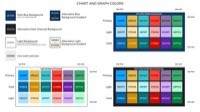
Style guide, Brand Primary Colors: green, black and grey swatches with color values
Style guide, Brand Secondary Colors: blue, orange and grey swatches with color values
Style guide, Brand Greyscale Colors: a ramp of five greys with color values
Style guide, Flexibility in Presentation Design: guidance text on a black slide
Style guide, Standard Content Page: an annotated example slide with a forest canopy photo
Style guide, Page Elements: a sample slide with its title, logo and footer labeled
Style guide, Modular Grid: the slide grid drawn in red beside an example layout
Style guide, Content Page Guidelines: an annotated text slide over green leaves
Style guide, Divider Page Guidelines: annotated section divider slides with nature photos
Style guide, Icons, All Caps and Paragraph Spacing: an annotated slide on spacing rules
Style guide, List Types: bullet and numbered list examples on photo slides
Style guide, Tables: an annotated example table slide
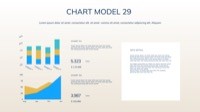
Style guide, Graphs and Diagrams: flowchart and line chart examples in green and orange
Style guide, Screenshots: how to frame a software screenshot on a slide
Style guide, Going the Extra Mile: sourcing and sizing background images for slides
Style guide, Resources: links for fonts, photography and icons in three columns
Style guide, Going the Extra Mile: sourcing and sizing background images for slides
Style guide, Going the Extra Extra Mile: third-party software that makes slides look better
Style guide, Transferring to PPT for Max Compatibility: a checklist beside a PowerPoint screenshot

Tri Beer Apparel

Most triathlons end with water and medals. Wildflower ends with beer. I designed cycling jerseys and cheer squad apparel for a team that races 8 miles through Lake San Antonio, then heads straight to the Thirst Quenching Station at the finish line. The gear is deliberately ridiculous, but it still had to function as actual athletic apparel. It needed to look good on the bike and at the bar.

Tri Beer cycling jersey, front and back, in a blue and yellow plaid with the beer mug logo
Tri Beer kit flat patterns: plaid jersey panels with black shorts and side pieces
Tri Beer team members holding their bikes overhead in matching plaid jerseys
Tri Beer team piled together for a group selfie, raising their drinks
Yellow Tri Beer zip hoodie, front, with the foaming beer mug logo
Yellow Tri Beer zip hoodie, back, with swim, bike, run and beer icons and a list of names
Two Tri Beer riders in yellow shirts posing with their bikes in a parking lot
Tri Beer riders celebrating outside the Cow Palace with their bikes
Tri Beer cyclists in plaid jerseys on a mountain road, one in white heart sunglasses
Three Tri Beer friends in yellow team shirts toasting under a party tent
Tri Beer team members at the thirst quenching station, one drinking from a beer bong
Tri Beer team cheering over a game of flip cup
Tri Beer cover: a triathlete in race number 2320 wearing a finisher's medal, Tri Beer in yellow

Pup-a-Top / Pour Labs

PUP-a-TOP machined custom pet ID tags from aircraft-grade aluminum that doubled as bottle openers, under the tagline "bringing man's two best friends closer together." I designed print ads that leaned into the joke, a beach sunset illustration that became their signature pattern, and retail displays and oversized banners for pet stores. When they rebranded as Pour Labs, I handled the full overhaul: new logo, new identity, and a packaging system that moved them from novelty gift to premium pet accessory. More at pourlabs.com.

Pup-a-Top background art: a man and his dog silhouetted on a beach against a striped retro sunset
Pup-a-Top tradeshow banner with the beach sunset art and the tagline
Pup-a-Top magazine ad, Beer? Good Dog: a dog in sunglasses with the bottle opener tag on its collar
Pup-a-Top magazine ad: The Coolest Dog Tag Ever Made, with a bulldog and a basset hound
Pour Labs logo in black on white: a dog in goggles over a crossed bone and bottle, P and L, est. 2015
Pour Labs logo reversed in white on black
Pour Labs Brewclaw packaging, front: the black card with the bone-shaped bottle opener and app badges
Pour Labs Brewclaw packaging, back: Open a new world for you and your best friend, with the QR code and setup steps
Pour Labs bone-shaped bottle opener dog tag in red
Pour Labs bone-shaped bottle opener dog tag in blue
Pour Labs bone-shaped bottle opener dog tag in orange
Pour Labs bone-shaped bottle opener dog tag in purple
Pour Labs bone-shaped bottle opener dog tag in black
Pour Labs bone-shaped bottle opener dog tag in yellow
Pour Labs bone-shaped bottle opener dog tag in dark green
Pour Labs bone-shaped bottle opener dog tag in pink
Man wearing the Pour Labs jersey, front: the dog logo on a white shirt with black sleeves and colorful bone tags
Man wearing the Pour Labs jersey, back, with the Pour Labs wordmark
Man wearing the all-over print Pour Labs t-shirt with the dog logo
Woman wearing the all-over print Pour Labs t-shirt, seen from behind
Woman in jeans wearing the Pour Labs t-shirt
Man wearing the Pour Labs hoodie with the large dog logo on the chest
Pour Labs hoodie from behind, hood up, covered in colorful bone tags
Woman wearing the Pour Labs hoodie with the dog logo
Woman wearing the black Pour Labs zip jacket printed with colorful bone tags
Pour Labs bomber jacket, front, with the dog logo
Pour Labs all-over print t-shirt laid flat with the dog logo
Pour Labs all-over print t-shirt, back, with the Pour Labs wordmark
Pour Labs sweatshirt laid flat, front, with the dog logo
Pour Labs sweatshirt laid flat, back, with the Pour Labs wordmark
Man wearing the Pour Labs jersey with black shorts
Man wearing the Pour Labs jersey, seen from behind
Woman wearing the Pour Labs tank dress with the dog logo
Woman wearing the Pour Labs tank dress, side view
Pour Labs tote bag with the dog logo and bone tag print
Pair of black Pour Labs flip-flops printed with colorful bone tags
Hand holding a Pour Labs pint glass of beer printed with the dog logo
Two white Pour Labs coffee mugs with the dog logo and bone tag print
Two hands clinking Pour Labs mugs together
Dachshund sitting behind a Pour Labs dog bowl full of kibble
Pair of Pour Labs pet bowls printed with colorful bone tags
Pour Labs sign with the dog logo hanging on a brick building
James Meinerth headshot

When You Need

Ink That

STICKS
STICKS
STICKS

Print and Editorial

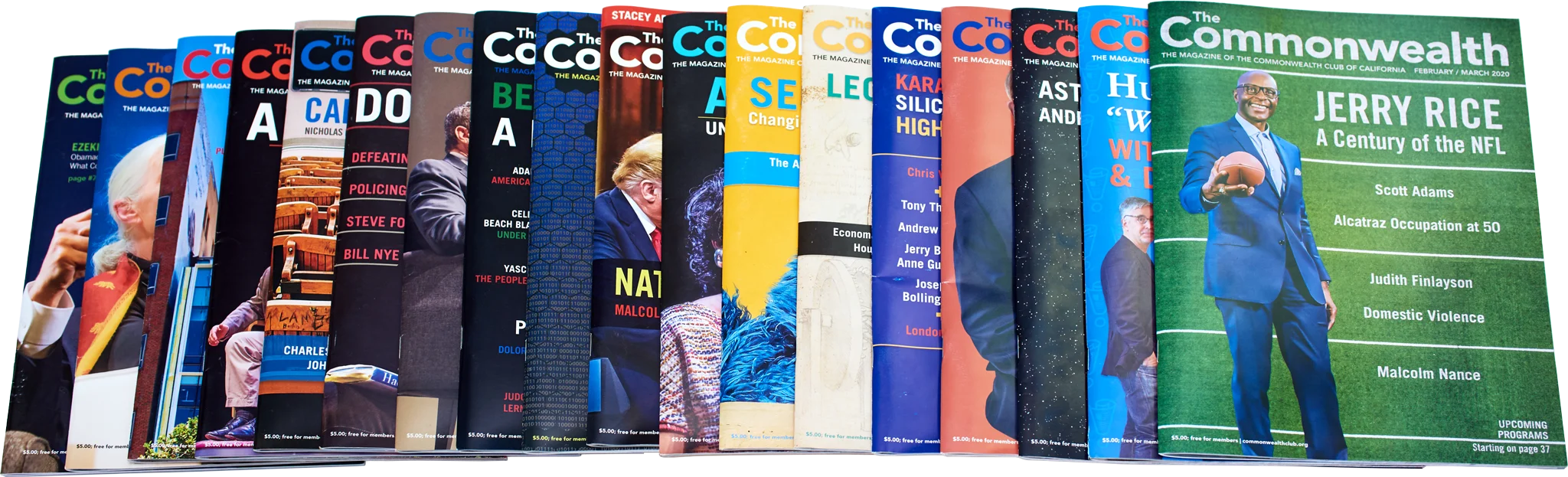
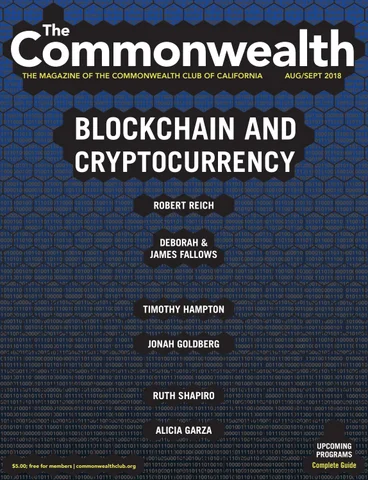
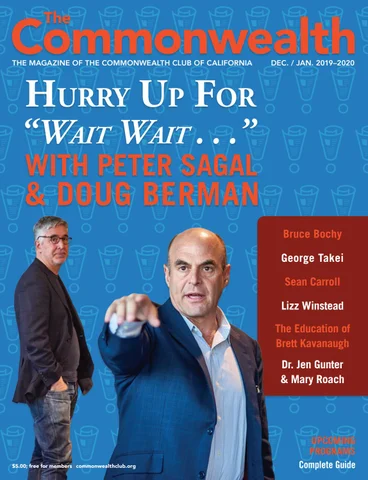
From 2017 to 2020, I was Art Director at The Commonwealth Club of California, one of the oldest and largest public affairs forums in the country. The magazine reaches more than 100,000 members a month, and for three years it was mine to design.

The Work
The Work
The Work

Magazine design, editorial layouts, cover art direction, business cards, marketing swag, large format posters, banners and backdrops, casual and competition sports uniforms, challenge coins, interactive printed invitations, print vendor sourcing and relationships, design systems editorial teams can run on their own.

What This Means For You

If it needs to be printed, I can design it, spec it, and match you with a vendor that fits your budget and your deadline.

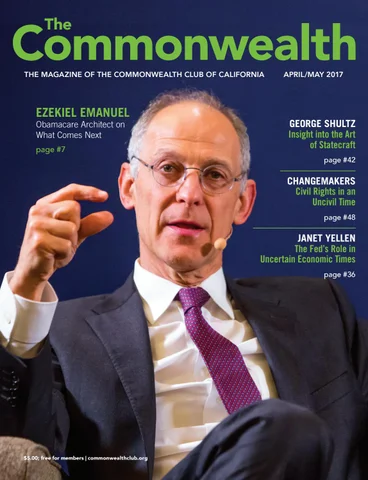
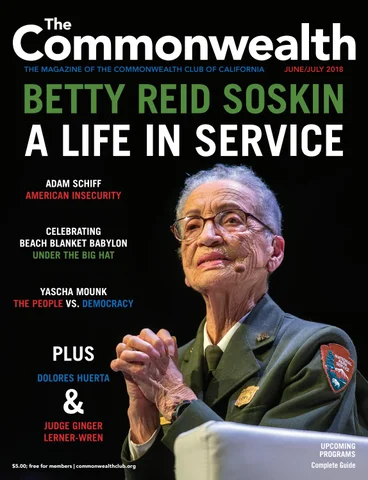
The Commonwealth Magazine

110 The Embarcadero Building Rental Guide

When The Commonwealth Club opened its new waterfront headquarters in 2017, it needed a rental guide to market the space for conferences, weddings, and private events. I shot all the interior and exterior photography, redrew the architectural blueprints, and designed the brochure for the 24,000-square-foot LEED Gold building, from its two auditoriums to the rooftop garden.

Commonwealth Club Event Space Rental Guide cover: the lit-up glass lobby of 110 The Embarcadero at dusk
Rental guide spread, 110 The Embarcadero: floor plans of each level beside a street view of the building
Rental guide spread, First Floor Library and Meeting Room: photos of the room set for a talk and a reception
Rental guide spread, Second Floor Auditorium and Lounge: floor plan and photos of a banquet and a stage
Rental guide spread, Third Floor Boardroom and Lounge: photos of the boardroom, lounge and a dinner setup
Rental guide spread, Rooftop Terrace: a crowded rooftop event and the Bay Bridge lit up at night

Printed Marketing Materials

As Art Director, I produced a steady stream of printed and digital marketing for every department at the Club, usually several projects at once, for stakeholders with very different tastes. This is a small selection of what made it off the press.

Commonwealth Club membership brochure cover: Meet, Mingle, Explore, Travel, Join, with event photos
Membership brochure inside: membership benefits, key numbers and a yellow join form
Membership brochure spread: speaker photos and Four Easy Ways to Join, by phone, online, mail or in person
Commonwealth Club trifold cover: the club's building with Join, Upgrade, Sponsor, Watch, Host, Explore and Volunteer
Trifold inside: Join, Sponsor and Host panels with photos of a stage talk and the building
Trifold panels: Explore and Volunteer with a Machu Picchu trip photo and volunteers at an event
Three round Commonwealth Club coasters with the sunburst logo and Founded 1903
Back of the coasters in blue: Contact Us, the club address and its social media handles
Narrow vertical banner made of Commonwealth Club event photos
Join Now rack card listing membership levels and prices
Commonwealth Club mailer: Thoughtful conversations for open minds, with a Join Now panel
Commonwealth Club Distinguished Citizen Award Gala 2018 banner over the Bay Bridge at night
Gala seating chart: four floors of the building drawn as stacked colored floor plans, each named for a sponsor
Gala invitation and envelope: a navy card with the Bay Bridge lit up at night
Gala reply envelope, addressed to the Commonwealth Club's development office
Commonwealth Club 115th Annual Dinner and Distinguished Citizen Award invitation: Dinner and Gala, Views from 110
Gala invitation opened out, with its reply card and program insert
Gala program unfolded: the honoree page beside the Ferry Building at night
Save the Date card, April 19, 2018: the gala at 110 The Embarcadero over the Bay Bridge at night
Commonwealth Club 2020 Distinguished Citizen Award Gala and Annual Dinner card, Friday, April 24, on a blue to red gradient
2020 gala mailer back: the Ferry Building and the Embarcadero lit up at night
You're Invited: the 2020 gala invitation in its gradient sleeve
2020 gala invitation folded open: four triangular flaps with photos of the honorees
2020 gala invitation fully open, showing the event details in the center
James Meinerth headshot

When You Need

Content That

MOVES
MOVES
MOVES

Video Production
and Motion Graphics

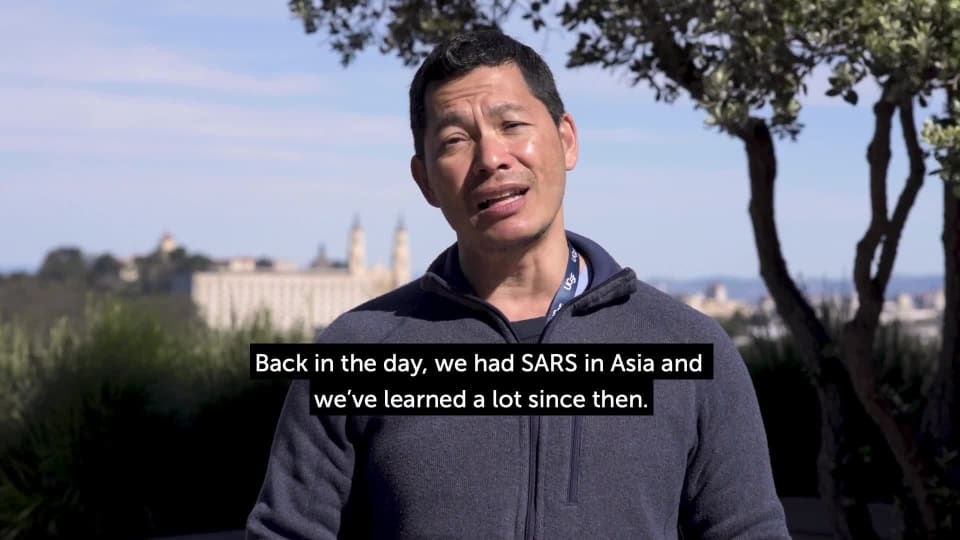
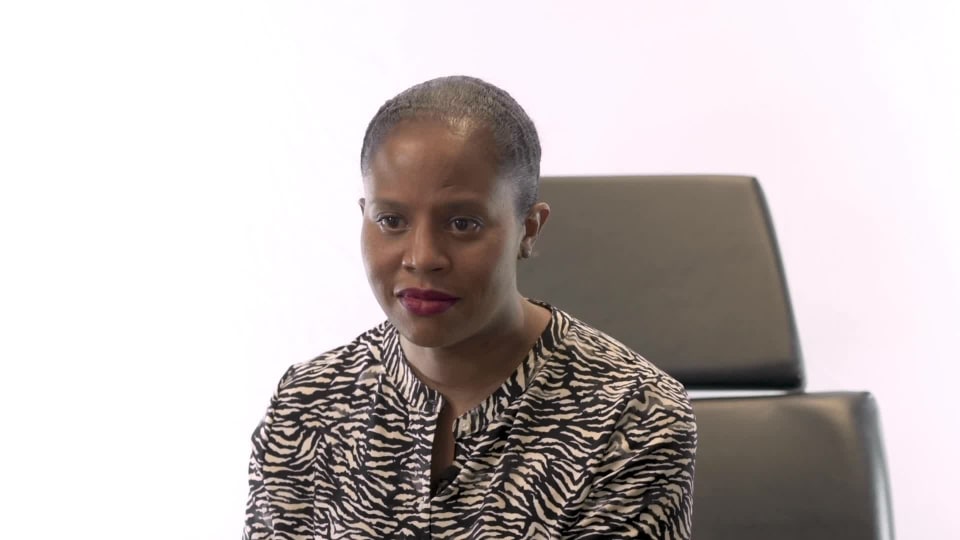
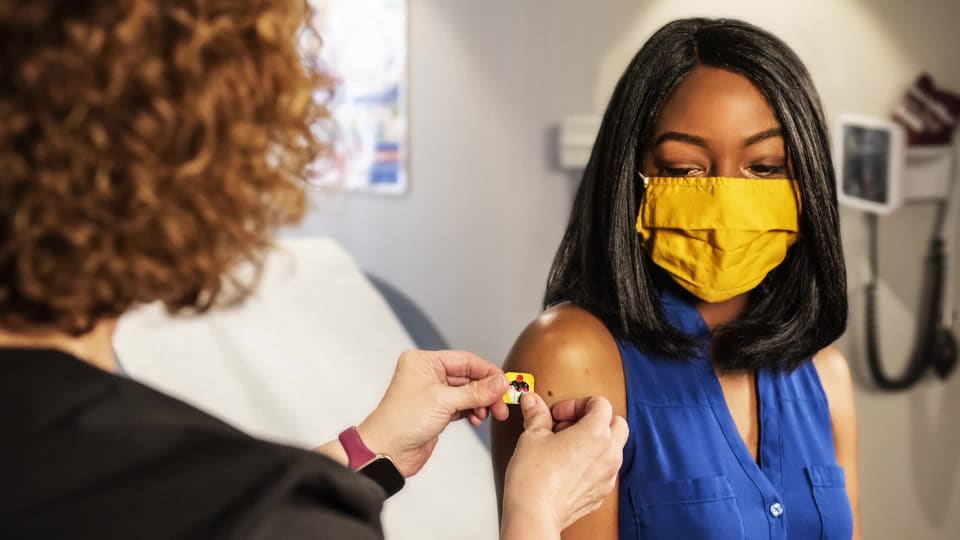
In January 2021, AC Transit needed COVID vaccine education videos for more than 2,000 transit workers, most of whom had zero interest in watching training videos. My job was to make the series they wouldn't skip.

The Work
The Work
The Work

Educational video series, training content, motion graphics, interview production, process documentation videos.

What This Means For You

I can produce video that people watch all the way through: shot, edited, and delivered start to finish.

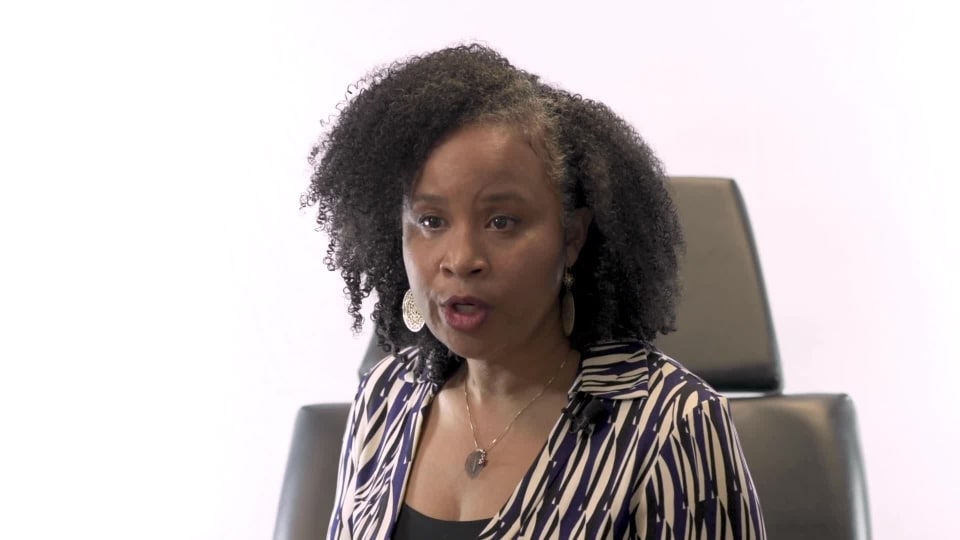
All Doctors (Captioned)
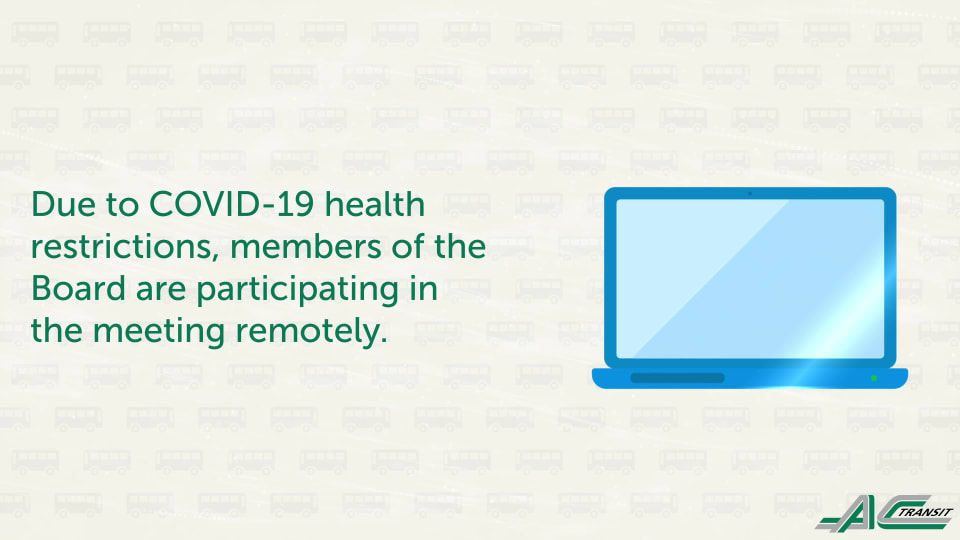
Board of Directors Meeting Intro
Dr. Chin Hong
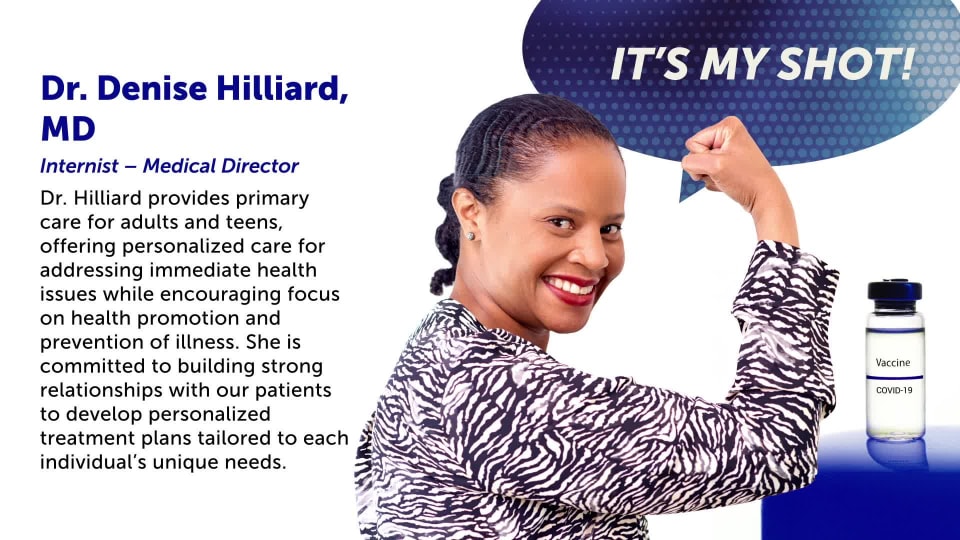
Dr. Denise Hilliard, Part 1
Dr. Denise Hilliard, Part 2
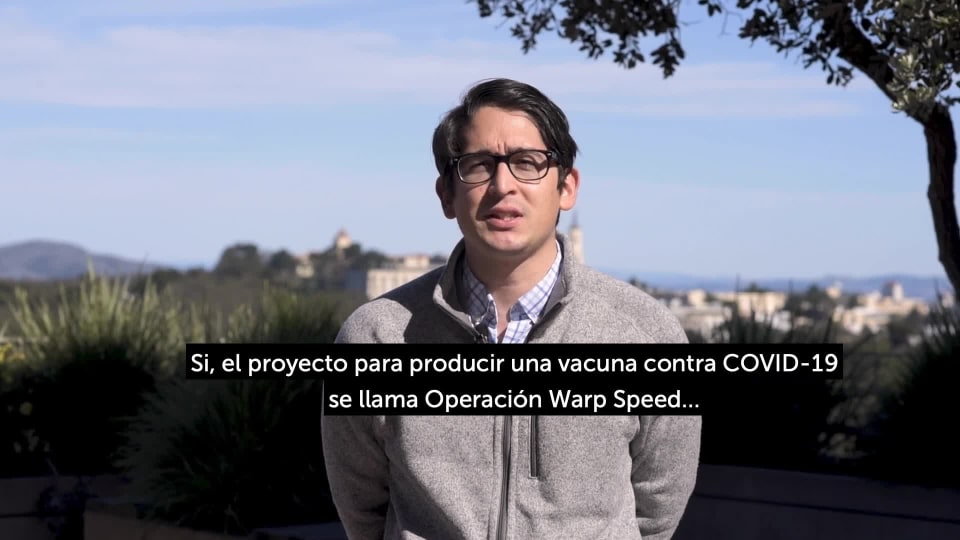
Dr. Luis Rubio (Subtitled)
Dr. Renee Hilliard, Part 1
Dr. Renee Hilliard, Part 2
I Got My Shot
All Doctors (Captioned)
Board of Directors Meeting Intro
Dr. Chin Hong
Dr. Denise Hilliard, Part 1
Dr. Denise Hilliard, Part 2
Dr. Luis Rubio (Subtitled)
Dr. Renee Hilliard, Part 1
Dr. Renee Hilliard, Part 2
I Got My Shot
James Meinerth headshot

When You Need

Software That

CLICKS
CLICKS
CLICKS

Digital and UX

Straight out of art school, I joined a software engineering and consulting firm designing UI and UX for Fortune 500 companies around the world. Finance, healthcare, automotive, transportation, iOS, Android, web dashboards, back-end tools. If it had a screen, I designed for it.

The Work
The Work
The Work

UI and UX design for iOS and Android apps, web dashboards, enterprise software, icon systems, product design systems, website design.

What This Means For You

I can design your app, dashboard, or website so it's fun, easy to use, and works the first time someone touches it. If your current product feels harder to use than it should, I can fix that too.

Vice Log

We all have our vices. My grandma used to say, "Everything in moderation." But keeping moderation in check requires knowing the numbers. This app was created to give you an honest look at how daily habits add up over weeks, years, and lifetimes, measuring the real impact on your body, bank account, and mind. Originally designed as a cigarette counter, it now tracks anything: drinks, nicotine, snacks, social media posts, or whatever else you want to log. Your vices are your business. All of your data stays local. No online databases, no telemetry, no tracking. And it will finally answer the age-old question of just how many hot dogs you actually eat.

Marcus, Luis and Priya are fictional. Blood alcohol figures are estimates, not medical advice.

Thursday, July 16
Everything in moderation

My grandma's line. The hard part is knowing how much you've had: in England, what people say they drink adds up to only 40 to 60% of the alcohol sold. Marcus, Luis and Priya each want an honest count.

Three iPhones showing Today for three people on the same Thursday: Marcus at 9:41 pm, cutting back on drinks with seven of a ten-drink line this week, and Luis at 9:41 pm, twelve days without cigarettes, both in the dark after hours theme the app turns on after sunset; Priya at 3:41 pm in the paper theme, tracking snacks with no goal as slices of a pie.
9:41 pm · Toronto
Marcus, at the bar

Cutting back to ten a week. Tonight he's lost count. After sunset the app turns dark by itself.

Vice Log on an Apple Watch and an iPhone side by side. A drink is logged on the watch, a new beer appears on the phone, and it happens again with a second drink. The phone is in the after hours theme.
Close up of Vice Log's week row in the after hours theme: two taps add Thursday's beers, 7 of 10 becomes 9 of 10, and the line under it folds six beers into a six-pack beside two glasses of wine.
Close up of the body clock in the after hours theme: a finger runs along the estimated blood alcohol curve, the reading climbing from 0.015 now to 0.019 g/dL at 10:07 pm if nothing else is logged, with its range and the shaded band of published rates.
Vice Log on an iPhone: holding Drinks opens the sheet with Beer, Wine, Spirits and Cocktail; Wine is chosen and logged, and a glass of wine joins Thursday. A plain tap then adds a second glass of wine, the same as the last, in the after hours theme.
At a glance
No app to open

On his wrist, his watch face, his lock screen and his home screen, the count is already there.

Vice Log on an Apple Watch: a tap logs a drink and a new beer appears, then turning the Digital Crown shows the week against the line and the body clock estimate. The watch is always dark.
Three Apple Watches showing Vice Log as a watch face complication with the week drawn in beers and glasses of wine, in the Smart Stack, and in the dimmed Always On state. The watch is always dark.
Two iPhones side by side in the dark. On the lock screen a finger holds the Action button, the Dynamic Island says Beer logged, 8 of 10, and the widgets tick from seven to eight. On the home screen a tap on the widget's plus adds a beer, then the Vice Log icon opens the app on Today, already at eight.
Another weekend
Past his line

Twelve drinks in one night gets one calm heads-up and the signs of alcohol poisoning. Past his weekly line, his own words and a minute to breathe. No lecture.

Vice Log on an iPhone after twelve drinks: a single heads-up row opens a calm page that says what was logged and why it matters, then expands the signs of alcohol poisoning for you or a friend, in the after hours theme.
Vice Log on an iPhone, past the weekly line: the quiet line under Drinks opens a sheet with the person's own why, Better mornings, and Start the minute begins a slow breathing bar that widens and narrows, then Back to the log, in the after hours theme.
9:41 pm · London
Luis, twelve days in

Quitting cigarettes. Every other app sent him back to day zero.

Vice Log on a round Garmin Venu 4: a ring around twelve days without cigarettes, the next milestone named by its day, the top button asks Had one?, the answer is yes, the count goes to zero with the record of nineteen kept, then a swipe up to the evening's pints, drawn as pint glasses.
Vice Log on an iPhone for someone quitting cigarettes: twelve days without, one tap logs a cigarette, the count goes to zero with day one starting tomorrow, and the record of nineteen days stays, in the after hours theme.
Vice Log on an iPhone, Luis's Log tab: Record a purchase opens a sheet for a pack of twenty, 16.50 is typed on the number pad and Tesco Express on the keyboard, the sheet works out 82.5p a cigarette against the price he set, and the stock updates, in the after hours theme.
3:41 pm · Bengaluru
Priya, at her desk

No calories, no target. She wants to know when the snacks land.

Vice Log on a round Garmin Venu 4: a 24 hour dial with each snack drawn as a slice at its time and the usual 3 to 5 pm window shaded. The top button logs a snack and its slice appears at 3:41 pm, then a swipe to the week as seven small pies, Monday and Thursday tied as the busiest.
Vice Log on an iPhone: logging a snack fills another slice of the pie and sets a slice at its time on the day, then Insights shows that most snacks land between 3 and 5 pm, in the paper theme.
Over the long run
What it all adds up to

Hours spent clearing it, grams, money. Every figure opens to its working and names its source. None of it comes with a verdict.

The Log tab on an iPhone: a month calendar with bars for each day. July 15 opens to its three drinks and their times, then the calendar steps back to June and forward again, in the paper theme.
Vice Log Insights on an iPhone, scrolling: this week so far against usual, the long math with its sources, the last four weeks against the four before, when drinks land, and twelve weeks, in the paper theme.
Close up of The long math for drinks in the paper theme: 103 drinks across 76 days came to 148 to 297 hours of the body clearing alcohol, 1.4 kg of pure alcohol, 9,697 kcal from the alcohol alone and $824.00, each line with its source.
Close up of Ballpark it in the paper theme: the guess is stepped from three drinks a day down to one, Check the log is tapped, and the answer reads You said 1, Your log says 1.4, with the last seven days drawn as bars against a dashed line at the guess.
Any vice
Drawn as the thing itself

A beer is a beer and a cigarette is a cigarette. Six beers fold into a six-pack, twenty cigarettes into a pack, eight slices into a pie. The units and the currency are yours to set.

A specimen sheet of Vice Log's units, drawn from the app. Sixteen rows, each a vice with its unit and what it folds into: beer into a six-pack and a case, wine into a bottle, spirits into a half-pint, a fifth and a handle, cocktails and pints one at a time, coffee into a pot, soda into a six-pack of cans and a fridge pack, hot dogs into a pack of franks and a stand, cigarettes into a pack and a carton, vape hits into a cloud, snack slices filling a pie, receipts, chips and posts one each, and the pen mark counting days kept. Light paper.
Vice Log on an iPhone with soda, vape, coffee, posts, spending and gambling: one tap each on Soda, Vape and Coffee adds a can, a vape and a cup, and the sixth can of the week folds into a six-pack of cans, in the paper theme.
Vice Log on an iPhone: in You, Body and drinks shows what one drink means, how blood alcohol is shown and the currency. mg/100 ml is chosen and Today's body clock now reads in mg/100 ml, in the paper theme.
Private by default
It stays on this phone

No account, no cloud, no analytics. A discreet icon if you want one, and an export that shows what's in it before it goes.

Vice Log settings on an iPhone: choosing the discreet Ledger icon and confirming the system alert that the icon changed, exporting the log as a CSV file with a sheet naming its eight columns and showing its newest rows, then the locked Premium page, in the paper theme.
Vice Log onboarding on an iPhone: the premise, drawn as a beer, a glass of wine, a cigarette, a slice, a coffee and a hot dog, choosing drinks, cigarettes and snacks with pills and powder locked behind Premium, a weekly line under Cut back, a price, the privacy step, then an empty first page, in the paper theme.
iPhone Duo
Opens like a book

On Apple's new foldable the tabs and status move to the outer edge. Closed, it's the phone app. Open, Today sits beside the week.

Vice Log on the iPhone Duo foldable. Closed, a tap on the 5.4 inch outer screen logs a beer and the sixth of the week folds into a six-pack. The phone opens, the outer screen goes dark and the 7.6 inch inner screen wakes with the app already in two panes, Today on the left and the week on the right. Another tap adds a beer, the phone closes, and the outer screen wakes at 9 of 10. In the paper theme.
Vice Log on the open iPhone Duo, landscape: Today on the left pane, the week on the right, and the tabs and status down the right edge. One tap logs the sixth beer of the week and it folds into a six-pack in the right pane, then the next beer goes on. In the paper theme.
10:41 am · The doctor's
Hot dog mode

Asked how many hot dogs he eats a day, he guesses seven. The log says ten.

An Apple Watch and an iPhone side by side in hot dog mode at 10:41 am: each tap on the watch's Log a hot dog capsule draws another hot dog on both screens, and the phone's week folds them into packs of ten under a Ballpark it question.
Vice Log in hot dog mode on an iPhone: the week drawn in hot dogs folding into packs of ten, a guess of seven hot dogs a day, and the log answering ten, in the paper theme.
The Vice Log logo animating on paper: a month of dots, seven across and four down, the logged days growing until they make a V, then the Vice Log wordmark in Instrument Serif.

Vacation Tracker

Asking for a week off shouldn't take three weeks of working up the nerve, but for a lot of people it does. You're not sure how many days you really have, who else is out, or whether now is a bad time to ask. Vacation Tracker answers all of that before anyone asks. George sees exactly what he has and how it adds up. Liz, his manager, sees who can cover before she says yes, and her yes sets up his calendar, his away message and the handover. It even knows the leave laws where each person works. And behind every balance is a pixel-art scene of where you'd rather be, because the whole point is getting to take time off and relax. It's based on earlier work of mine, expanded and redesigned with modern tools.

George, Liz and their team are fictional.

1:12 PM
George asks for a week off

He wants August 17 to 21 at the Outer Banks with his family. The last time he asked, the answer was no, so he has put it off for three weeks. He is not alone: 59% of US workers feel anxious about taking time off.

George’s Vacation Tracker Home on a computer, a tablet and a phone in dark mode over a pixel-art lake at dusk: Good afternoon, George, with 7.2 vacation, 4.4 sick and 3 personal days.
George’s computer: each balance opening to show its arithmetic, then a twelve-week forecast unfolding, in dark mode.
The vacation balance opened on George’s computer: carried over from last year, earned so far, used, scheduled and awaiting approval, adding up to 7.2 days, in dark mode.
George’s computer: choosing vacation, picking August 17 to 21, adding the note Family trip to the Outer Banks, reviewing and sending the request to Liz, in dark mode.
George’s phone: his account, then his time-off policy, with Where you work opened to explain the New York sick leave law his policy meets, in dark mode.
George’s phone: a nine-day request against a 7.2-day balance, the app offering to trim it to 7 days, and the trimmed request going through, in dark mode.
George’s request on a computer, a tablet and a phone at once, in dark mode, the same steps moving through all three together.
3:30 PM
Liz decides

Liz runs eight people across six locations. Before she answers, she can see who is already out that week and who can cover.

Liz’s Approvals screen on a computer, a tablet and a phone in light mode over her own photo of a white beach: Good afternoon, Liz, with 4 waiting, 1 out today and 2 overdue for a break.
Liz’s computer: from her greeting to the queue, George’s request flagged because Rachel is out the same week, Kelly chosen to cover, and the approval made with a press and hold, in light mode.
Liz’s computer: declining Jim’s August 10 to 14 request with the reason Launch week, the app suggesting August 24 to 28 instead because nobody else is out, and a preview of the message Jim will read, in light mode.
Liz’s computer: the queue noticing that Dwight and Elaine have not taken a day off in months, and Liz sending them a gentle nudge, in light mode.
Liz’s tablet: the team calendar, July 30 opened to show who is out, then August, where George’s week and Rachel’s long weekend overlap, in light mode.
Liz’s reports on a computer: days taken by each person against their allowance, coverage for the next eight weeks, and who has not taken a break, in light mode.
Liz’s computer: the workspace policies for the United States, the United Kingdom and Germany, each with the legal minimums for that place shown beside it, in light mode.
Liz’s computer: adding a location, choosing Ireland, the new policy set at Ireland’s legal minimums with Irish law beside it, then raising the holiday to 21 days and saving, in light mode.
3:41 PM
It’s official

One press and hold. By the time George opens the news, his calendar, away message, Slack status and handover to Kelly are already done.

Liz approving George’s request on a computer, a tablet and a phone at once, in light mode over her beach photo.
Close up on Liz’s phone: pressing and holding the approve button until its ring fills, then the confirmation, in light mode.
George’s phone: Liz’s approval arriving in his inbox, then a card listing what it already set up: calendar, away message, Slack status and Kelly covering, in dark mode.
Unlimited PTO
A minimum, not a balance

The app counts up to a 15-day minimum and shows Liz who’s behind.

Liz’s phone on an unlimited policy: her greeting counting 2 people behind the minimum, then Dwight and Elaine, well behind the 15-day minimum, and a gentle nudge sent, in light mode.
George’s Home on a computer, a tablet and a phone on an unlimited policy: an infinity sign for vacation, 5 of 15 taken, and a bar showing 5 days taken and 2 booked against a 15-day minimum, in dark mode.
George’s computer on an unlimited policy: requesting August 17 to 21, the app noting that brings him to 12 of his 15-day minimum, then sending it to Liz, in dark mode.
Liz’s United States policy on a computer set to unlimited: annual allowance Unlimited, carryover cap None, minimum time off 15 days, and New York, Oregon, Pennsylvania and Texas sick leave law beside it, in light mode.
Liz’s Germany policy on a computer set to unlimited: minimum time off 20 days, German law beside it, a note that the legal 20 days apply instead of the company’s 15, and the rule for when holiday can lapse, in light mode.
Make it yours
Nine scenes, or a photo

Pick a pixel-art scene or upload your own. It sits behind your balances on every screen.

George’s phone: opening the background picker, trying the lake cabin and the beach hammock, then going back to his lake, in dark mode.
Liz’s computer: opening the background picker, adding her own beach photo, and the photo fading in behind her greeting, in light mode.
Nine phones showing George’s Home over nine pixel-art scenes: a lake, a beach hammock, a lakeside cabin, a ski hut, an airport lounge, a desert road trip, a zen garden, a desert terrace and a safari, in dark mode.
August
The week off

No signal at the beach house, so his request waits as a draft. On Monday, Home lists what changed.

George’s phone with no connection: the request is kept, with a choice to try again or save it as a draft, in dark mode.
George’s computer after his week off: Welcome back, George, and a card summarising what was approved and what changed, in dark mode.
George’s Home reflowing continuously from desktop width down to phone width and back again, in dark mode.

Atlas BAS System

Ask anyone who runs an office building and they'll tell you the complaint they hear most is that it's too hot or too cold. Often the first person to notice is at a desk on floor 14, and the people who can fix it find out last, one phone call at a time. Atlas is a console concept for the building automation systems (BAS) that run office towers. When something breaks, everyone who needs to know sees it in the same second, in their own words: the operator, the chief engineer, the technician and the tenants. It sets itself up from the building's own point list, prices every fault with the math shown, and can rewind the building to the minute things went wrong. Somebody has to hold the building up. Atlas makes sure everyone knows who. It's based on earlier work of mine, expanded and redesigned with modern tools.

Meridian Tower, Jordan, Mara, Ruben and the tenants are fictional.

14:32:22
Five floors warming up

AHU-3’s chilled water valve has stuck. Jordan is at the control-room desk, Ruben is away from his, and floor 14 is starting to notice. Building alarms are “probably the most misused feature” of the systems that run them. This one reaches everyone.

Four devices side by side at 14:32: the AHU-3 valve alarm appears on the laptop, the office TV and the chief engineer’s phone at the same moment; the operator opens it, acknowledges, takes it and sends a technician, the phone changes to It’s owned and the floor 14 panel adds Technician on the way.
On the laptop the operator opens the AHU-3 valve alarm. A panel headed Who knows, and what they see lists the control room, the chief engineer’s phone, the technician, the tenants on floors 12 to 16, the office TV and the next shift, each with the exact words on their screen. He acknowledges, clicks I’m on it and Dispatch mechanic, and the technician’s line changes to Job WO-2231.
On a wall TV the Meridian Tower overview shows alarm counts, a headline, the building in 3D and every air handler. The AHU-3 valve alarm appears as the headline, then its card updates to say J. Okafor is on it with WO-2231 dispatched.
The Building view shows the tower in 3D with floors 12 to 16 highlighted and floor 14 lifted out. The operator opens the floor plan and clicks Open Plan SE, which is shaded warm at 75.4 degrees.
On the AHU-3 page the operator clicks the trend to replay. A dark replay bar appears with marks for AHU-3 valve sticks and AHU-3 SAT trips; jumping between them changes the unit graphic and values to those times, then Return to live.
Mara · technician
A job, not an alarm

Her phone gets one job, never the alarm list: the floor, the room, the way in, the unit’s state.

On the technician’s iPhone a New job banner for WO-2231 arrives. Her phone shows the job card: floor 23, room G23-02, west unit, with directions from the service car. She taps On my way and then I’m at the unit.
On the floor 23 wall panel the technician taps Staff sign-in, picks her name and enters a PIN. The panel opens the floor plan with You are here and the route to AHU-3, and she taps Repair done.
Ruben · chief engineer
Is anyone on it?

His phone only rings for priority 1 and 2 alarms, then shows what the building is wasting, in dollars.

On the chief engineer’s iPhone a priority 2 alarm arrives and the headline reads A priority 2 alarm nobody owns yet. Seconds later it changes to It’s owned, naming J. Okafor and WO-2231, and the screen scrolls to a minute-by-minute timeline for AHU-3.
The Findings page lists four faults worth $109 a day. The AHU-6 finding opens with evidence, a trend, likely causes and a cost of about 93 dollars a day; How this is worked out expands to show each step, and Send to Mara raises a work order.
On the Savings to try tab a proposal to reset duct static pressure on three air handlers shows an estimate of 23 dollars a day and its guardrails. The operator starts a 7-day trial and the card shows the trial running while Atlas measures the result.
Floor 14 · tenants
Before anyone calls

The lift-lobby panel says what’s wrong and who’s on it. Scan its code for the same on your phone.

On a tenant’s iPhone the floor 14 page shows Cooling is reduced and a list of areas. She taps Open Plan SE and Too warm, sees the confirmation, then asks to keep the air on and picks a time with its price.
On the floor 14 wall panel a tenant taps Too warm or too cold, then the warm Open Plan SE area on the plan, then Too warm. The panel says the area was already reported at 14:30 and that this report has been added to it.
On the floor 14 panel a tenant taps Working late, keep the air on after 19:00. Times from 20:00 to 23:00 show their prices; choosing 21:00 shows about 190 dollars at 95 dollars an hour and a sent confirmation.
The Shift handover page scrolls through a written summary of the afternoon, required items for open alarms, tenant requests and fault findings, with sign-off for the outgoing and incoming operators.
Another day
Fourteen alarms in six minutes

A pump trips and everything downstream follows. Atlas names the one that started it, groups the rest underneath, and tracks the alarm rate against the EEMUA 191 guideline for what one operator can handle.

An alarm flood starts: the banner turns to FLOOD with 15 in 10 minutes and names the first-out, CHWP-2 VFD. On the Alarms page a single grouped row reads 14 alarms in 6 min, grouped under first-out CHWP-2 VFD, and the operator expands the consequential alarms.
Day one
It sets itself up

Building consoles are usually drawn by hand, screen by screen. Atlas reads the point list a building already has and writes its own displays, alarms and fault rules. Here, 205 points from a Niagara export, built in milliseconds and replayed at reading speed.

The Import a building page streams point names past their recognised roles while counters climb: points read, recognised, displays drawn, alarms written, fault rules on. The air handler diagrams then draw themselves from their own sensors.

Swoop

A mobile app for giving and getting free stuff without the hassle of Craigslist. Photograph the item, add a line of description, post it in seconds. Built-in chat keeps pickup logistics out of your inbox, and proximity matching favors neighbors within walking distance. I designed the full product, from flows to final UI.

Swoop logo animation: two curved arrows trading places above the words Always Free
Swoop splash screen with the Swoop wordmark and a Free badge
Swoop chat screen: two people arranging a pickup
Swoop item screen: a Sony Trinitron TV with buttons to pass, save or claim it
Swoop feed of free items nearby: a record player and a camera drone
Swoop feed showing items being given away, with distance and category tags
Swoop notifications screen: alerts that an item is gone, with a call button and an Okie Dokie button
Swoop post screen: adding photos, a description and a pickup area on a map
Swoop post screen filled in for a record player, with the pickup area on a map
Swoop profile screen: Giving leads to happiness, with a big arrow to post an item

The Girl Project

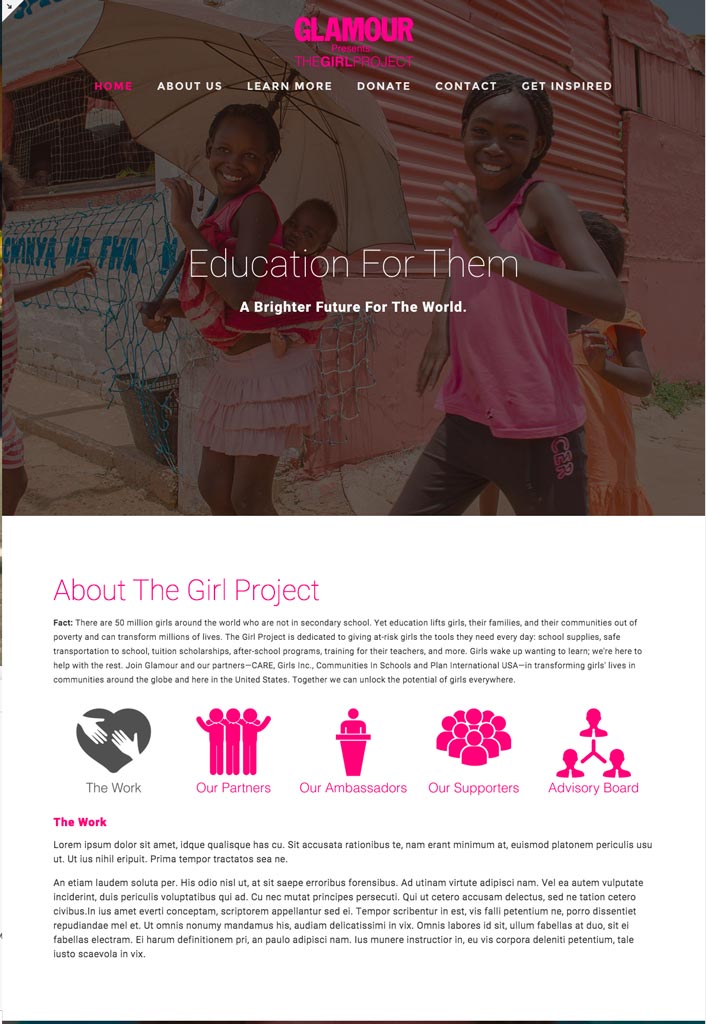
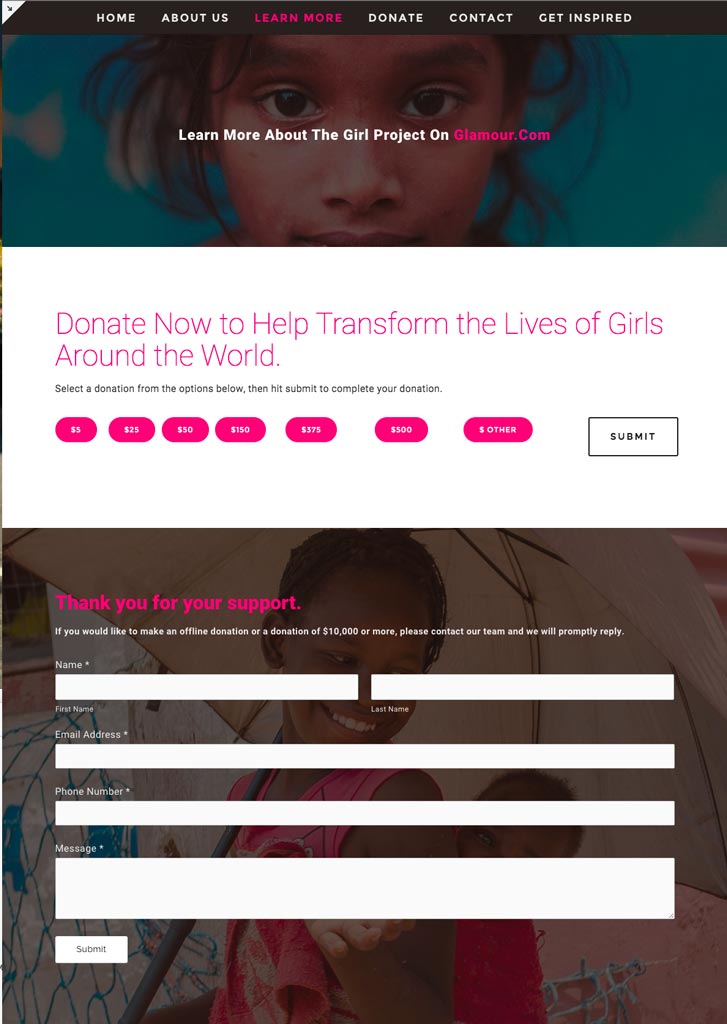
This is a pitch from July 2015 for a redesign of thegirlproject.com, moving The Girl Project away from a dated Drupal site. The Girl Project is a fund set up by Glamour to help fund girls’ secondary education around the world. Glamour runs a very high profile Women of the Year award event in late October and TGP was a component of that show.
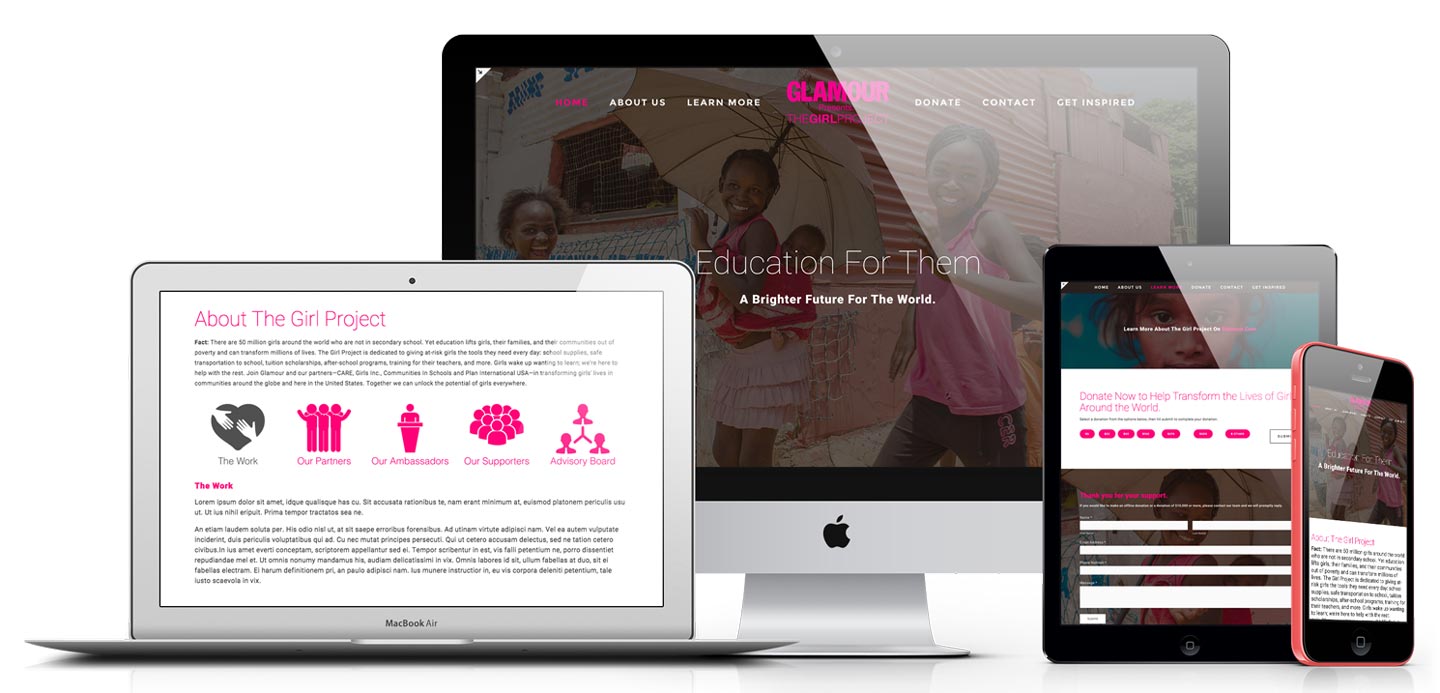
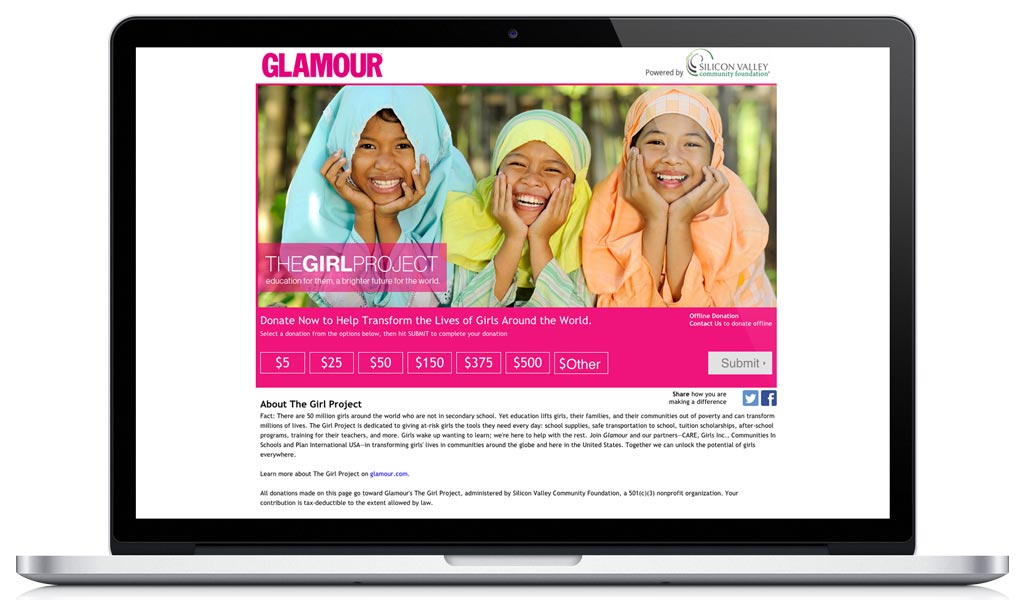
The redesigned site
The original site
Before
After
Drag to compare
Home
Home
Donate
Donate
Contact
Contact

The Emerson Icon System

When a designer gets hired to create a logo system and then delivers all of their icons as 16px pngs and then ghosts their client when they ask for the icons in editable vector format, someone else needs to step in and fix it. I came in and recreated everything from scratch. 300 icons for an industrial statistical-process-control platform, delivered in 23 days. CUSUM charts, stepwise regression, Gantt dependencies, zero-duration scheduling, etc. A lot of icons for a ton of functions, all legible and non pixelated at any size.
Social Media

I can make you static and motion visuals for any kind of social media. Every platform, every aspect ratio, every format: feeds, stories, banners, and ads built to grab attention and communicate your message.

James Meinerth headshot

When You Need

Moments

CAPTURED
CAPTURED
CAPTURED

Photography

I started shooting at fifteen and never stopped. That's over twenty years behind a camera, and I'm still finding new things to point it at.

The Work
The Work
The Work

Event, portrait, architectural, real estate, 360° virtual tours, editorial, product, concert, landscape, automotive, cinemagraphs, timelapse.

What This Means For You

Whatever you need photographed, I've probably shot something like it. Let me know what you need captured.

Howard Schultz
Business · 2019
Lamborghini
Automotive
Farallons
Wildlife · 2025
Ocean Beach NYE
Long Exposure · 2024
Outside Lands
Festival · 2015
Blue Angels
Fleet Week · 2018
Jackie Speier
Politics · 2018
Twin Falls
Landscape
Ford Deluxe Coupe
Automotive
Outside Lands
Festival · 2018
Point Reyes
Landscape
The Currys
Portrait · 2020

Now You Know What I Do. What Can I Make For You?

I love making all types of visual art and I love helping people solve problems. I can do more than six categories of things. If what you need doesn't fall into any of these categories, then just pick your favorite spinny head and write me a thing.

Contact me

Hey James, I need a thing.

James Meinerth